
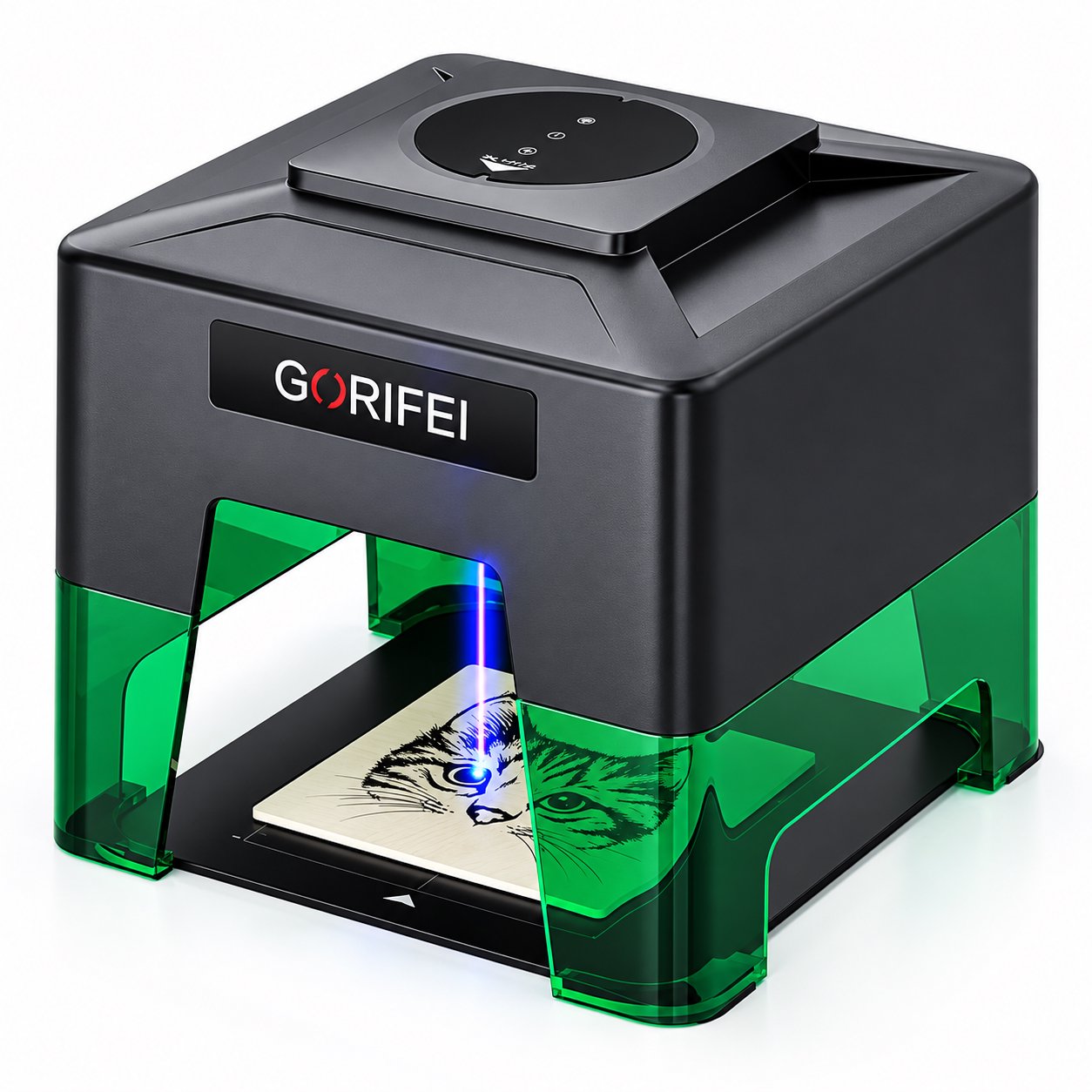
A project-first guide for hobbyists and gift makers choosing a personal laser engraver. Compare machine classes by the projects they actually support—phone cases, tumblers, wooden keepsakes, and small gifts—and weigh portability, living-space factors, app control, and consumable costs before you buy.
Personal projects, practical machines
Most guides to buying a personal laser engraver start with wattage and work area. That approach gets the priorities backwards for hobbyists and gift makers. You are not trying to maximise throughput or cover every material on the market. You are trying to mark a set of small, varied objects—a phone case for a friend, a wooden keepsake for a birthday, a tumbler you already own—without turning your spare room into a workshop.
This article works from the project backwards. It looks at what different machine classes actually handle, then at the living-space questions that hobby buyers ask: portability, storage, noise and fumes at home, phone-app control, and the running cost of consumables. A personal laser engraver that fits your gift projects will feel easy to use. One that does not will sit in a cupboard.
Key takeaways
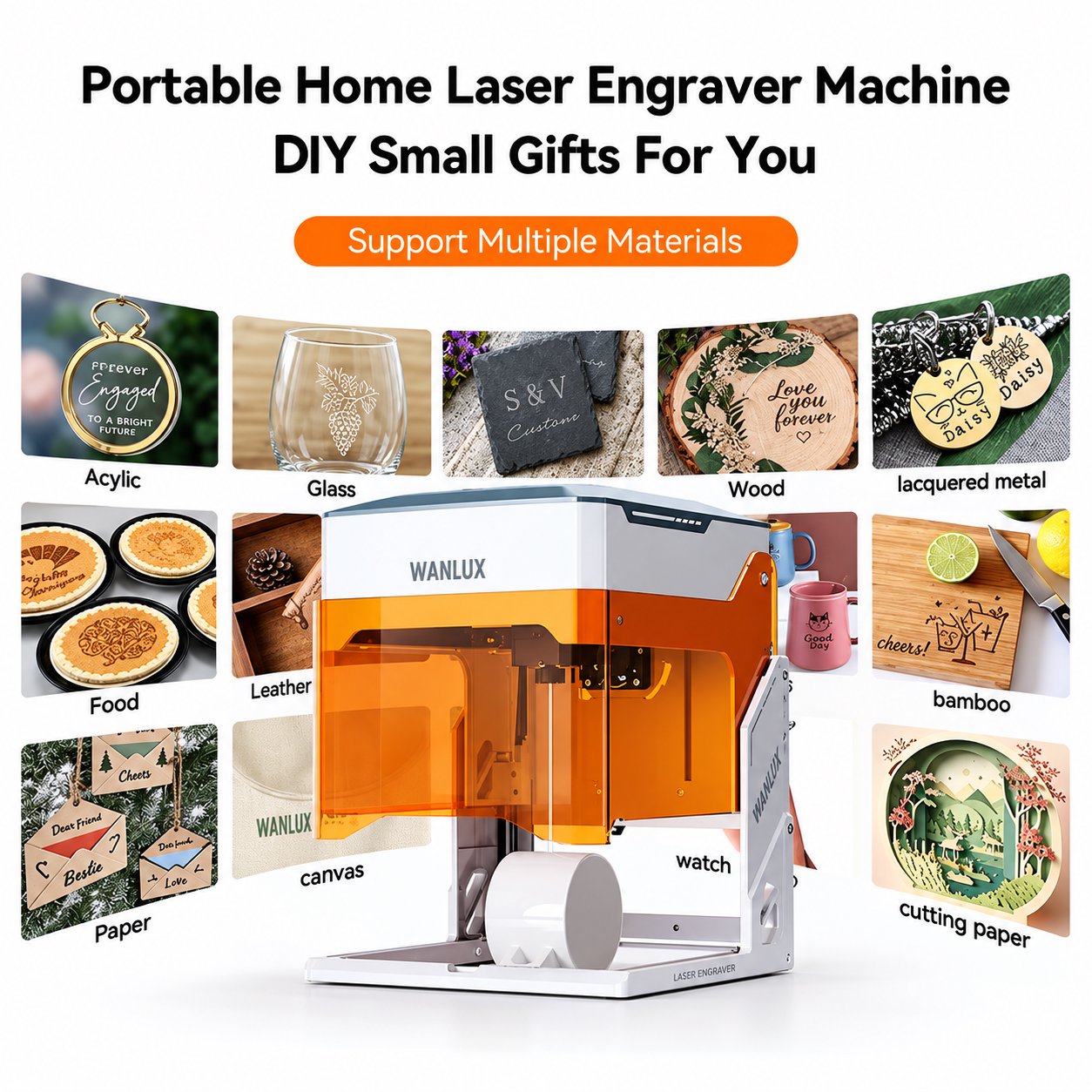
- Coated metal gifts, phone cases, and small keepsakes call for very different machines from 3-5 mm plywood work.
- Working area of 9.8 x 8.8 cm, 10 x 10 cm, or 8 x 8 cm suits most one-off gift sizes, but check your largest object first.
- Portability and storage matter more than raw power if the machine shares a living space.
- Phone-app and offline controls remove the need for a dedicated computer near the machine.
- Consumables, not just the purchase price, decide the real cost per gift over a year.
Start with the project, not the wattage
A gift maker's material list is short but mixed. You might engrave a coated metal keyring in the morning, a wooden coaster in the afternoon, and a phone case in the evening. Each of those asks something different from the machine. Instead of comparing laser power in isolation, group your projects and see which machine class covers them.
Four project types cover most personal use:
- Gifts and small metal items—keyrings, tags, coated metal blanks, and similar pieces that need a mark rather than a deep cut.
- Phone cases—flat or gently curved surfaces where a small working area and precise positioning matter more than depth.
- Tumblers and cylindrical objects—these need enough clearance and a way to hold the object steady, and they are usually too tall for a tiny enclosed unit.
- Wooden keepsakes—plaques, boxes, and signs that may need cutting through 3-5 mm plywood, not just surface marking.
Once you know which of these four you will actually make, the machine shortlist becomes much smaller.
Matching project types to machine classes
The table below compares the project groups against the machine classes described in this article. Use it to find the column that matches your main project, then read the notes that follow.
| Project type | What the project needs | Machine class that fits | Watch out for |
|---|---|---|---|
| Coated metal gifts and tags | Fine marking on coated surfaces, small size, low setup time | Compact foldable units such as the XN001-3W | Marks coated metal only; cannot cut wood |
| Phone cases and flat small items | Small working area, steady clamping, app control | Compact units or a 10 x 10 cm class | Check the case fits the stated working area |
| Tumblers and taller cylindrical objects | Clearance, stable fixturing, some cutting or deep marking | Enclosed 5W class such as the K10-5W | Enclosure limits object height |
| Wooden keepsakes and plywood cut-outs | Cutting 3-5 mm plywood, larger area | Enclosed 5W class or a 10W plus 1064nm combo | Cutting takes longer than marking |
| Mixed material sampling | Both coated metal marking and wood cutting in one machine | F1-10W plus 1064nm dual-head unit | Two heads mean a higher outlay |
Compact and foldable: for gifts and phone cases
If your projects are small, frequent, and mostly coated metal or thin flat items, a compact machine is the easiest to live with. The WAINLUX XN001-3W is a clear example. It is compact and foldable, with a 9.8 x 8.8 cm working area. That area is small, but it covers a phone case, a keyring, a dog tag, or a small wooden coaster.
What makes it suited to personal projects is how it is powered and controlled. It runs from USB, a Bluetooth app, or an offline button, and it can be powered from a power bank. For a hobbyist working at the kitchen table, that means no dedicated computer and no fixed power outlet. You can set it up, engrave a batch of gifts, fold it away, and store it in a drawer.
Its limit is material. The XN001-3W marks coated metal only. It is not a wood-cutting machine, so if your keepsake projects need cut-outs rather than surface marks, this class will not carry them. That is exactly why starting from the project matters: a compact unit is the right answer for coated metal gifts and the wrong answer for a plywood sign.
Enclosed and controllable: for tumbler and plywood projects
As soon as your projects involve cutting, or objects taller than a phone case, you move into a different class. The WAINLUX K10-5W is fully enclosed with a tinted shield, uses a 455nm 5W blue diode, and cuts 3-5 mm plywood. It runs from WiFi, a PC, or offline.
The enclosure matters for home use for two reasons. First, it keeps the working area contained, which is easier to manage in a shared room. Second, the tinted shield lets you watch the job without opening the machine. The 3-5 mm plywood cutting capability opens up wooden keepsakes: small plaques, box lids, and layered ornaments. The same machine easily handles coated metal and flat phone cases, so it covers three of the four project groups in the table.
The trade-off is object height. An enclosed machine has a defined interior, so a tall tumbler may not fit. Before choosing this class, measure the tallest object you intend to engrave, not just the flattest.
Dual-head flexibility: when your projects are genuinely mixed
Some hobbyists do not have one main project. They take commissions from friends, or they enjoy testing materials. For that pattern, a dual-head machine earns its place. The WAINLUX F1-10W pairs a 455nm 10W head with a 1064nm head in a 10 x 10 cm working area, with WiFi and a built-in control screen.
Two heads mean one machine can handle both wood cutting and the finer marking that a 1064nm head supports. The 10 x 10 cm area is larger than the compact class, which helps with small plaques and multi-item sheets. The built-in control screen also means you can run jobs without tying up a laptop, which matters if the machine lives in a shared space.
This class costs more and takes up more room than a foldable unit. It makes sense when you would otherwise buy two machines, or when your project list genuinely spans coated metal marking and wood cutting.
The living-space questions: noise, fumes and storage
Tip: If the machine shares a room with you, decide on storage and ventilation before you compare specifications. A foldable unit that fits in a drawer is easier to live with than a larger machine that has no home.
Noise and fumes are the two factors hobby buyers underestimate. Laser marking and cutting produce fumes, and the amount depends on the material and how long the job runs. An enclosed machine with a tinted shield contains more of the working area than an open-frame unit, which helps in a living space. Whatever class you choose, plan where the machine will sit and how the room will be aired. If you cannot ventilate the space, that is a reason to reconsider the project, not just the machine.
Noise is usually less than a domestic appliance, but it is continuous while a job runs. A job that takes ten minutes is easy to ignore; a long cutting pass is harder. For gift-sized projects, job times are short, which is one more argument for matching the machine to small work rather than buying capacity you will rarely use.
Portability and storage go together. A compact, foldable unit can be packed away between projects, which keeps a shared room usable. A larger enclosed machine needs a permanent bench or shelf. Before ordering, decide which of those two you can actually offer.
Control options: phone app, PC, or offline
Control is where personal machines have improved most. You no longer need a dedicated computer beside the laser. Depending on the model, you can run jobs from:
- A Bluetooth phone app—useful for quick adjustments at the machine.
- USB or WiFi—useful when you prefer to design on a computer.
- Offline buttons or a built-in control screen—useful when you do not want a phone or laptop involved.
The K10-5W runs from WiFi, a PC, or offline. The F1-10W includes WiFi and a built-in control screen. The XN001-3W runs from USB, a Bluetooth app, or an offline button, and can be powered from a power bank. For Windows users, the WAINLUX K8-1064nm works over 8 x 8 cm at 4.4 kg with USB, WiFi, and Bluetooth, and Windows control without professional software. That last point matters if you have never used engraving software before: the learning curve is part of the purchase.
Project-first selection path
Work through these steps in order. Each one narrows the field before you look at price.
- List your actual projects for the next six months. Overestimate variety and underestimate volume. If you will mostly make gifts for friends and family, weight small coated metal items and phone cases heavily.
- Measure the largest and tallest object on that list. A phone case fits almost any class. A tall tumbler does not fit a tiny foldable unit. Write the dimensions down and compare them with the working area of each candidate.
- Decide whether you need to cut or only mark. If wooden keepsakes need cut-outs in 3-5 mm plywood, you need a cutting-capable class. If you only mark surfaces, a compact unit may be enough.
- Choose where the machine will live. A drawer or shelf favours a foldable unit. A permanent bench allows an enclosed machine. Plan ventilation at the same time.
- Decide how you want to control it. Phone app for quick gifts, PC for design work, offline for simplicity. If you do not want to learn professional software, choose a model that runs on Windows without it.
- Estimate consumables and running cost. Include the materials you will actually buy—coated metal blanks, phone cases, plywood sheets—and any replacement parts the machine needs over time. The purchase price is only the entry cost.
Total cost of ownership for personal use
For a hobbyist, total cost of ownership is simpler than for a business, but it is not just the sticker price. Three lines matter:
- Consumables and blanks. The objects you engrave are the ongoing cost. Coated metal blanks and phone cases are cheap per unit; plywood adds up if you cut often.
- Power and setup. USB or power-bank operation can reduce the need for a fixed bench and extra cables, which is a small but real saving in a home.
- Space and storage. If the machine needs a permanent table, that is a cost in a small home. A foldable unit trades working area for storage convenience.
Look at the cost per finished gift rather than the cost per machine. If you make twenty gifts a year, a modest compact unit and a small stock of blanks will usually beat a larger machine you use twice. If you make gifts every week and cut wood, the cutting-capable class pays for itself in avoided frustration.
Frequently asked questions
Can one personal laser engraver cover gifts, phone cases, and wooden keepsakes?
It depends on whether your keepsakes need cutting. A model that cuts 3-5 mm plywood, such as the K10-5W, covers coated metal marking, phone cases, and wooden cut-outs. A compact unit like the XN001-3W covers coated metal and small flat items but does not cut wood.
Is a phone app enough control for gift projects?
For simple one-off gifts, an app or offline control is often enough. If you design complex layouts, WiFi or PC control gives you more room to work. The K8-1064nm offers USB, WiFi, and Bluetooth with Windows control and no professional software requirement.
How much space do I need at home?
A foldable unit can be stored in a drawer between projects and needs only a clear table while running. An enclosed machine needs a bench or shelf. The K8-1064nm is 4.4 kg, which is manageable to move, but it still needs a stable surface during a job.
What should I check before buying?
Confirm three things with the supplier: the working area against your largest object, whether the machine cuts the thickness you need, and which control methods are supported. For coated metal marking, confirm the material type, because some classes mark coated metal only.
About the manufacturer
WAINLUX has been manufacturing laser engraving machines since 1998, with more than 25 years of production experience. The company holds an ISO9001 company-level certificate and works with OEM and ODM customers, exporting to more than 50 countries. For buyers who want a personal laser engraver matched to specific project types rather than a generic specification, this range covers compact foldable units, enclosed cutting models, and dual-head machines.
Next step
Tell us which projects you plan to make—gifts, phone cases, tumblers, or wooden keepsakes—and the largest object you need to fit. We will point you to the model class that matches your project list and share the control and power options for each. Start with the compact XN001-3W if your work is small and portable, or review the K8-1064nm if you want Windows control without professional software.