
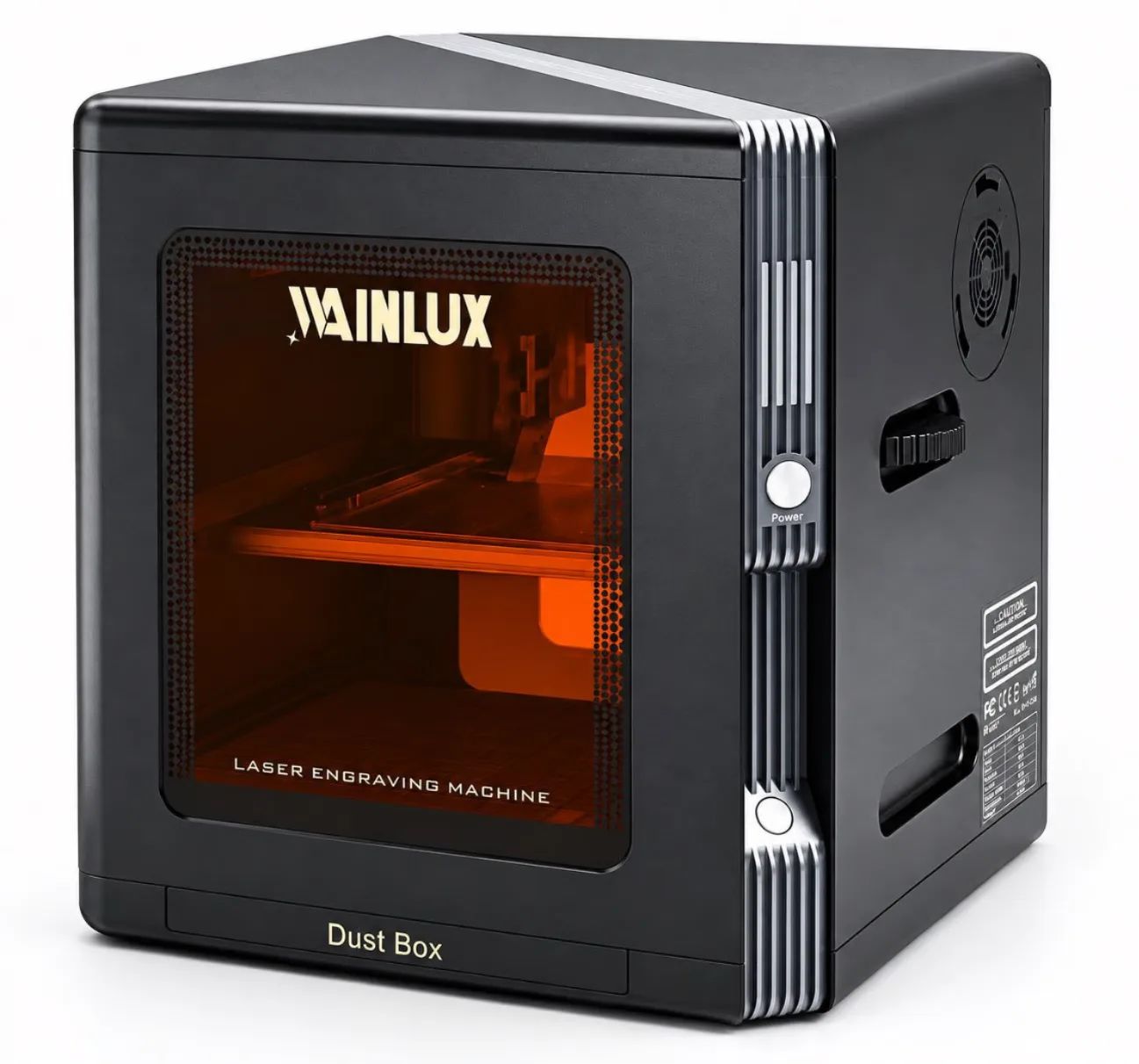
A buyer's guide to fitting a desktop engraving machine onto a real workbench. Compare physical footprint, enclosed versus open frame designs, and control options using published specifications from the WAINLUX lineup.
Buyer's Guide
Most buyers searching for a desktop engraving machine are not comparing industrial cabinets. They are trying to answer a smaller, more practical question: will this unit fit on the desk I already have, and can I run it without turning the room into a hazard or a project of its own? Three decisions settle most of that — physical footprint, enclosed versus open frame, and how you control the machine. Each one has concrete answers in the current WAINLUX lineup.
Key Takeaways
- The WAINLUX K8-1064nm measures 190 x 286 x 313 mm and weighs 4.4 kg — a footprint that fits a normal desk corner.
- Enclosed designs address beam containment, fumes and debris, but they do not replace ventilation or eye protection.
- Control can be as simple as USB, WiFi or Bluetooth from Windows without professional engraving software.
- Optional accessories such as a rotary roller or air purifier change both the workspace and the operating routine, so plan for them before purchase.
On this page
Physical Footprint: The Desk-Level Numbers
Start with the published dimensions rather than the product photo. The WAINLUX K8-1064nm is listed at 190 x 286 x 313 mm and 4.4 kg. That is a unit you can place on a standard desk or workbench without reinforcement, and it leaves room for a keyboard, a laptop and the material you are feeding into it. The height of 313 mm matters as much as the base — check the clearance above the machine if you plan to store it under a shelf or in a cabinet.
The K10-5W is a different shape of decision. Its marking area is 10 x 10 cm, which is a modest working field, but the housing is fully enclosed. Buyers who intend to engrave small items repeatedly — tags, keychains, small plates — are usually trading working area for containment and a tidier bench. Buyers who need to lay a larger flat workpiece on the bed will feel the 10 x 10 cm limit immediately.
The X2 line is offered with or without a protective cover and uses a 15 x 20 cm working area. That 15 x 20 cm field sits between the two WAINLUX models above and is the point where a desk setup starts to need genuine free space around the machine, not just a clear spot. If the material you plan to engrave is larger than the working area, no amount of desk rearranging will solve it; the machine size and the workpiece size have to be matched before purchase.
A short checklist for the footprint decision:
- Measure the free desk area, not the whole desk. Leave at least enough room to load and unload material without lifting the machine.
- Check overhead clearance against the tallest published dimension — 313 mm for the K8-1064nm.
- Confirm the working area covers your largest expected workpiece. 10 x 10 cm for the K10-5W, 15 x 20 cm for the X2 line.
- Decide whether optional items — a rotary roller, an air purifier — will share the same desk. They need their own space and are not part of the base footprint.
Enclosed Frame vs Open Frame
The open-versus-enclosed choice is usually framed as a safety question, and that is the right instinct, but it is worth being precise about what an enclosure does and does not do.
The WAINLUX K10-5W uses a fully enclosed housing with a tinted transparent shield. In practice, that shield helps contain the beam, fumes and debris during operation. "Helps contain" is the accurate phrasing: it is a barrier around the working area, and it lets you watch the job through the tinted panel without opening the housing. For a desk setup in a shared room, that containment is a real operational benefit — less loose debris, less stray light, and a clearer boundary between the machine and everything else on the bench.
The WAINLUX K8-1064nm takes a related approach with an enclosed work area and an integrated dust box, plus a built-in ventilation fan. Those two features address the same problem from a different angle: debris collects in the dust box rather than on the desk, and the ventilation fan moves air through the working area. This matters most for materials that produce fine dust or noticeable fumes during engraving.
The X2 line gives buyers the explicit choice — the same model is offered with or without a protective cover. That is useful when the machine will live in a workshop where a cover is unnecessary, or in a home office where it is. But the decision should not be treated as a safety toggle. An enclosed design does not replace ventilation or eye protection. The cover contains the working area; it does not remove the need to consider what the material emits when the beam hits it, and it does not remove the need for appropriate eye protection when operating the machine.
| Model | Frame / containment | Working area | Footprint-relevant notes |
|---|---|---|---|
| WAINLUX K8-1064nm | Enclosed work area, integrated dust box, built-in ventilation fan | Not stated in the published dimensions; see product page | 190 x 286 x 313 mm, 4.4 kg |
| WAINLUX K10-5W | Fully enclosed housing with tinted transparent shield | 10 x 10 cm | Enclosure helps contain beam, fumes and debris |
| X2 line (draft specs) | Offered with or without protective cover | 15 x 20 cm | Enclosed option does not replace ventilation or eye protection |
X2 specifications are provided as draft figures for planning purposes. Confirm the final configuration, dimensions and included accessories with the supplier before ordering.
How You Control the Machine
The third desk-level decision is the one buyers often leave until last, and then regret: how does the machine receive the job? For a desktop unit, the answer usually determines whether the machine becomes a routine tool or an occasional project.
The WAINLUX K8-1064nm connects over USB, WiFi or Bluetooth and works with Windows without professional software. For a buyer who wants to design a simple job on a laptop and send it to the machine, that is the shortest possible path — no dedicated workstation, no separate CAM package, no cable-only limitation if WiFi or Bluetooth suits the bench layout better.
Wireless connectivity is not just a convenience. On a crowded desk, fewer cables means fewer chances to snag the machine or pull it out of position while loading material. If the machine shares a bench with other tools, USB, WiFi or Bluetooth options let you choose the connection that keeps the area around the working zone clear.
Control also extends to accessories. The WAINLUX K8-1064nm supports an optional rotary roller and an optional air purifier. Both change the operating routine: a rotary roller lets the machine work on cylindrical items, and an air purifier adds filtration to the exhaust path. Neither is part of the base package, so the control decision includes deciding whether you will operate the machine with these attachments and how they integrate into the workflow.
When comparing control options, ask:
- Which connection types does the model support — USB, WiFi, Bluetooth, or a subset?
- Does it run on Windows without professional engraving software?
- If you plan to add a rotary roller or air purifier, does the model support the accessory, and does the supplier confirm compatibility for your configuration?
- Where will the control device sit relative to the machine, and does the connection type allow that layout?
FAQ
Does an enclosed desktop engraving machine remove the need for ventilation?
No. An enclosed design helps contain the beam, fumes and debris, but it does not replace ventilation. The WAINLUX K8-1064nm includes an integrated dust box and a built-in ventilation fan; the K10-5W uses a fully enclosed housing with a tinted transparent shield. In both cases, consider the room's air handling and the material being processed.
Is eye protection still required with a tinted shield?
An enclosure and a tinted shield are not a substitute for appropriate eye protection. That requirement applies to open and enclosed designs alike.
Can I run the K8-1064nm from a normal Windows laptop?
Yes. The published specification states it works with Windows without professional engraving software, and it connects over USB, WiFi or Bluetooth.
The X2 line is offered with or without a cover — how do I choose?
Base the choice on where the machine will operate and how often. A cover suits a shared or home office environment; an open configuration may suit a dedicated workshop. Remember that the cover does not replace ventilation or eye protection, and confirm final X2 specifications with the supplier, as the available figures are draft values.
Next Step
Footprint, frame type and control are decided together, not one after another. If you tell us the desk or bench dimensions you have available, the largest workpiece you expect to engrave, and whether the machine will sit in a shared room or a dedicated workshop, we can point you to the configuration that fits — including whether a rotary roller or air purifier belongs in your setup. Review the WAINLUX K8-1064nm and WAINLUX K10-5W product pages, then send us your requirements. For the X2 line, ask for the current finalized specification and available cover options before you order.