
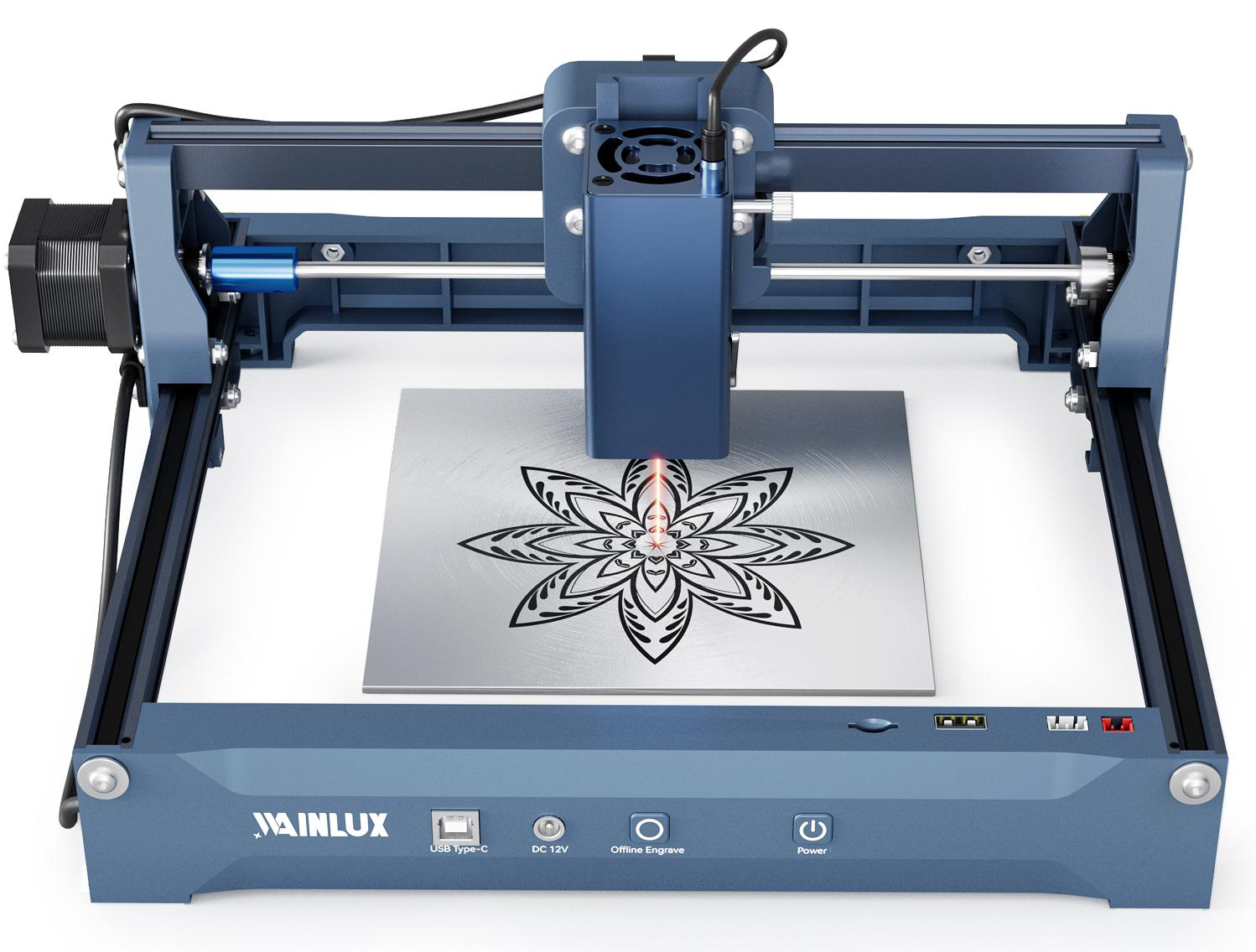
A buyer's selection guide to matching laser power to real wood projects — cutting depth, throughput, and engraving settings — using the WAINLUX K10-5W, L8-20W, and L8-40W as concrete reference points.
If you are buying a laser wood cutter and engraver for a workshop or production line, the single most consequential decision is optical power. It sets how thick a board you can cut in one pass and how fast you can get through a batch. It does not, on its own, set engraving quality. This guide matches three diode platforms to real wood projects so you can choose by cutting depth and throughput instead of by wattage on a spec sheet.
What Power Actually Changes
On diode laser platforms, higher optical power mainly buys two things: the maximum thickness that can be cut through in a single pass, and the feed rate at which a given thickness can be processed. Both matter, but they point in different directions depending on your work.
- Cutting depth determines whether you can produce a part at all. A 3 mm plywood sign and a 15 mm plywood panel are different projects, not different settings.
- Throughput determines cost per part. If you cut hundreds of identical shapes, the difference between multiple passes and one pass is machine time.
- Engraving quality is largely independent of power. Focus, power percentage, speed, line interval, and material consistency drive the result more than the wattage rating.
A higher-power machine does not automatically engrave better, and a lower-power machine does not automatically cut poorly. It cuts within its thickness range. The job is to find the range that matches your actual product mix.
Key takeaways
- Match power to the thickest material you must cut in one pass, then confirm the work area fits your part size.
- Enclosure and safety features matter as much as wattage for a workshop environment.
- Run test cuts on your own stock before committing a production batch.
Three Reference Points in the WAINLUX Range
The three WAINLUX models below span a practical range for wood work, from small enclosed desktop units to open-frame machines built for larger panels. All three use a 455 nm blue diode source. The specifications listed are the manufacturer-stated values for each model.
| Model | Optical power | Work area | Wood cutting capability | Notable features |
|---|---|---|---|---|
| WAINLUX K10-5W | 5 W (455 nm blue diode) | 10 × 10 cm | Cuts 3–5 mm plywood | Enclosed design |
| WAINLUX L8-20W | 20 W (455 nm) | 40 × 40 cm | Cuts 12 mm plywood and 15 mm pine | Air pump, honeycomb board, tilt protection |
| WAINLUX L8-40W | 40 W (455 nm) | 40 × 40 cm | Cuts 15 mm plywood and 20 mm pine in a single pass | Single-pass cutting on thicker stock |
WAINLUX K10-5W: small parts, fine detail, enclosed
The K10-5W pairs a 5 W diode with a 10 × 10 cm work area and cuts 3–5 mm plywood. The small bed is the defining constraint, not the power. It suits small engraved blanks, tags, keychains, jewelry-scale components, and thin plywood pieces where the part fits inside a 10 cm square. The enclosed housing is relevant if the machine sits in a room where people walk past it.
Buyers often approach this class of machine for engraving-first work. That is a reasonable fit: a 5 W diode engraves thin wood and coated stock with the right focus and settings, and the small work area keeps the unit compact. What it will not do is cut a 12 mm panel.
WAINLUX L8-20W: the general shop workhorse
The L8-20W raises power to 20 W and the work area to 40 × 40 cm, and it cuts 12 mm plywood and 15 mm pine. This combination covers a large share of real sign-making, model-making, and small-batch production work where panels are cut to size and then engraved in the same job.
The included air pump and honeycomb board are practical, not cosmetic. Air assist clears smoke and debris from the cut line, which helps on thicker stock; the honeycomb board supports the workpiece and reduces underside flash. Tilt protection adds a safety layer when the machine is running unattended between passes. For a shop that cuts a mix of 3 mm, 6 mm, and 12 mm plywood, this is the model that covers all three without changing machines.
WAINLUX L8-40W: single-pass thickness and production speed
The L8-40W shares the 40 × 40 cm work area with the L8-20W but doubles optical power to 40 W. It cuts 15 mm plywood and 20 mm pine in a single pass. The value here is not just thicker material — it is fewer passes on the material you already cut.
Where the 20 W unit might need more than one pass on 12 mm plywood, the 40 W unit handles 15 mm plywood in one pass. On a batch of hundreds of parts, pass count translates directly into machine hours and operator attention. This model makes sense when your product line includes structural wood components, thick signage substrates, or high-volume runs where throughput drives your quoting.
How to Decide: A Practical Test
Work through the following in order. The first question usually eliminates one or two options.
- Measure your thickest single-pass cut. If your production requires 15 mm plywood or 20 mm pine in one pass, only the L8-40W in this range meets it. If 12 mm plywood is your ceiling, the L8-20W covers it. If everything is under 5 mm, the K10-5W's power is sufficient and its work area becomes the deciding factor.
- Measure your largest part. A 10 × 10 cm bed cannot produce a 30 cm sign, regardless of power. If your parts exceed 10 cm on a side, step up to a 40 × 40 cm platform.
- Estimate monthly volume. For low volume, pass count is an inconvenience. For high volume, it is a cost line. Higher power buys speed on repeated jobs.
- Separate cutting from engraving. If your work is 90% engraving and 10% thin cuts, do not buy power you will not use. Invest attention in focus and settings instead.
- Confirm the environment. Enclosed units suit shared or public-facing spaces; open-frame units with air assist and honeycomb beds suit dedicated workshops.
Engraving Quality Is a Settings Problem
Buyers sometimes assume that upgrading from 5 W to 40 W will improve the sharpness of engraved lettering or the contrast of a logo. In practice, engraving quality depends more on focus and settings than on rated power. Focus distance, power percentage, travel speed, and line interval determine whether an engrave is crisp or washed out. Material consistency — glue lines in plywood, grain direction in pine, moisture content — affects the result from board to board.
A 5 W machine with correct focus and tuned settings can produce clean engraved detail on thin wood. A 40 W machine with poor focus produces a blurred, over-burned mark. If engraving fidelity is your priority, plan to spend time on test grids rather than on wattage.
Run Test Cuts Before Production
Every wood species and every batch of plywood behaves slightly differently. Before committing a production run, cut a small test coupon on the actual stock you will use. Vary power and speed across a grid, then inspect the cut edge for charring and the kerf width for fit. For engraving, run a power-and-speed matrix on a scrap piece and pick the setting that gives the contrast you want without burning through the surface veneer.
This step takes minutes and prevents scrapped sheets. It is also the honest way to compare machines: the same settings do not transfer perfectly between a 20 W and a 40 W unit, so test on the machine you intend to buy or on a sample cut from the supplier.
Where Manufacturing Experience Fits
Xiamen Spring Technology Co., Ltd. has manufactured laser equipment since 1998, operates under an ISO9001 company-level quality system, and exports to more than 50 countries. The company offers OEM and ODM work. For a buyer, this matters in two concrete ways: consistent unit-to-unit behavior across an order, and the ability to specify branding, packaging, or configuration for your market. Ask for the current specification sheet for the exact model and configuration you are quoting, since options such as air assist and work area vary by model.
Frequently Asked Questions
Can a 5 W laser cut 12 mm plywood?
The WAINLUX K10-5W cuts 3–5 mm plywood. For 12 mm plywood, the L8-20W is the matching model in this range. Attempting thicker material on a lower-power unit means multiple passes with no guarantee of a clean cut, and it is not a substitute for the rated capability.
Is the L8-40W worth it if I only cut 6 mm plywood?
If your parts fit within 40 × 40 cm and your volume is high, the 40 W unit can reduce pass count and machine time on the same 6 mm stock. If volume is low, the L8-20W covers the thickness with margin. The decision is throughput, not capability.
Do these machines require air assist for wood?
The L8-20W and L8-40W include an air pump. Air assist helps clear smoke and debris from the cut line, which is more relevant on thicker material. The K10-5W is an enclosed unit with a different configuration.
How do I know which settings to use?
Start with a test cut on your actual stock. Settings depend on material thickness, species, moisture, and the result you want. Suppliers can typically advise a starting range, but the final setting is best confirmed by your own coupon test.
Next step: a 3–5 mm plywood cutting job and a 15 mm single-pass job do not need the same machine. If you have already measured the thickest plywood or pine you must cut and your part footprints, you can review the WAINLUX K10-5W specifications as a starting point, then match the remaining thickness and volume requirements to the L8 series. Ask for the current spec sheet for the exact configuration and confirm sample cuts before committing a production order.