
This guide helps buyers choose a compact laser engraver for wood by showing how surface engraving and through-cutting translate into power class and working area. It covers 5W and 10W heads, common workpiece sizes, fixtures, and cleanup, with a practical buying sequence and product examples.
A small laser engraver for wood is often bought on the strength of a product photo, then judged on whether it can do the job the buyer actually has in mind. The gap between "engraves wood" and "cuts this piece of plywood" is where most first purchases go wrong. Two questions decide the machine: does the wood need a surface mark or a through cut, and how large is the largest piece the user will place on the bed. Power class and working area follow from those answers, not the other way around.
Key takeaways
- Surface engraving and through-cutting are different tasks with different power demands.
- A 5W diode head handles engraving and light cutting; a 10W head adds margin for thicker wood and faster passes.
- Working area should be chosen from the largest workpiece, not from the smallest sample.
- Fixtures, focus, and cleanup often decide whether results are repeatable.
Start with the task, not the wattage
Wood projects split into two broad categories. Engraving removes a shallow layer to create a dark or light mark. Cutting goes through the full thickness. These are not the same operation, and a machine that performs one well may be slow or limited at the other.
For engraving, the laser only needs enough energy to darken or ablate the surface. A lower-power head can move quickly and produce fine detail. For cutting, the beam must penetrate the entire board, which takes more energy per unit of travel and often multiple passes. Because energy is the product of power and time, a higher-wattage head cuts faster or handles thicker material in the same number of passes.
Buyers who mostly engrave names, logos, or patterns on small wooden items can often work with a 5W class machine. Buyers who need to cut shapes out of 3-5 mm plywood regularly should expect to use more passes or accept slower speeds. A 10W head reduces the number of passes and widens the range of thicknesses that can be cut cleanly.
How wood tasks translate into power class
Power class is a shorthand for what the head can deliver at the material. The two common classes in compact machines are 5W and 10W. The choice depends on the thickest cut and the desired speed, not on the engraving alone.
| Requirement | Surface engraving | Through-cutting |
|---|---|---|
| Typical head class | 3W or 5W | 5W for thin stock, 10W for routine work |
| Material thickness | Any thickness; only the surface is affected | Limited by power and number of passes; 3-5 mm plywood is the common range for 5W |
| Passes | Usually one pass | Often multiple passes on 5W; fewer on 10W |
| Speed | Fast | Slower; decreases with thickness |
| Detail quality | High; fine lines possible | Kerf width and charring affect edge quality |
| Cleanup | Light soot, easy to wipe | More residue and smoke; ventilation matters |
The table is a starting point. The actual result depends on wood species, moisture content, focal distance, and air assist. A dense hardwood may need more passes than a softwood of the same thickness. Buyers should test on the exact material they plan to use.
Some compact machines pair a 455nm blue diode with a second 1064nm head for different materials. The 455nm head is the one used for wood; the 1064nm head is typically for marking bare metal, not for cutting wood.
Working area: measure the workpiece, not the sample
The working area bounds what can be placed flat on the bed. Common compact sizes include 9.8 x 8.8 cm, 10 x 10 cm, and 30 x 30 cm. The smallest is suitable for keychains, small tags, and narrow strips. The middle size fits coasters, small plaques, and phone-sized items. The 30 x 30 cm class handles larger signs, cutting boards, and multi-part nesting.
A frequent mistake is buying for the first sample instead of the largest future job. If the buyer intends to engrave a 20 cm wide sign, a 10 x 10 cm bed will not accept it without repositioning and re-registering, which adds labor and risk of misalignment. For cutting, the working area also determines how many parts can be nested in one run; larger beds reduce handling.
Tip: Cut a cardboard template of your largest planned workpiece. If it does not fit the working area with room for clamping, the machine is too small even if the engraving samples look impressive.
Enclosure, safety, and where the machine will sit
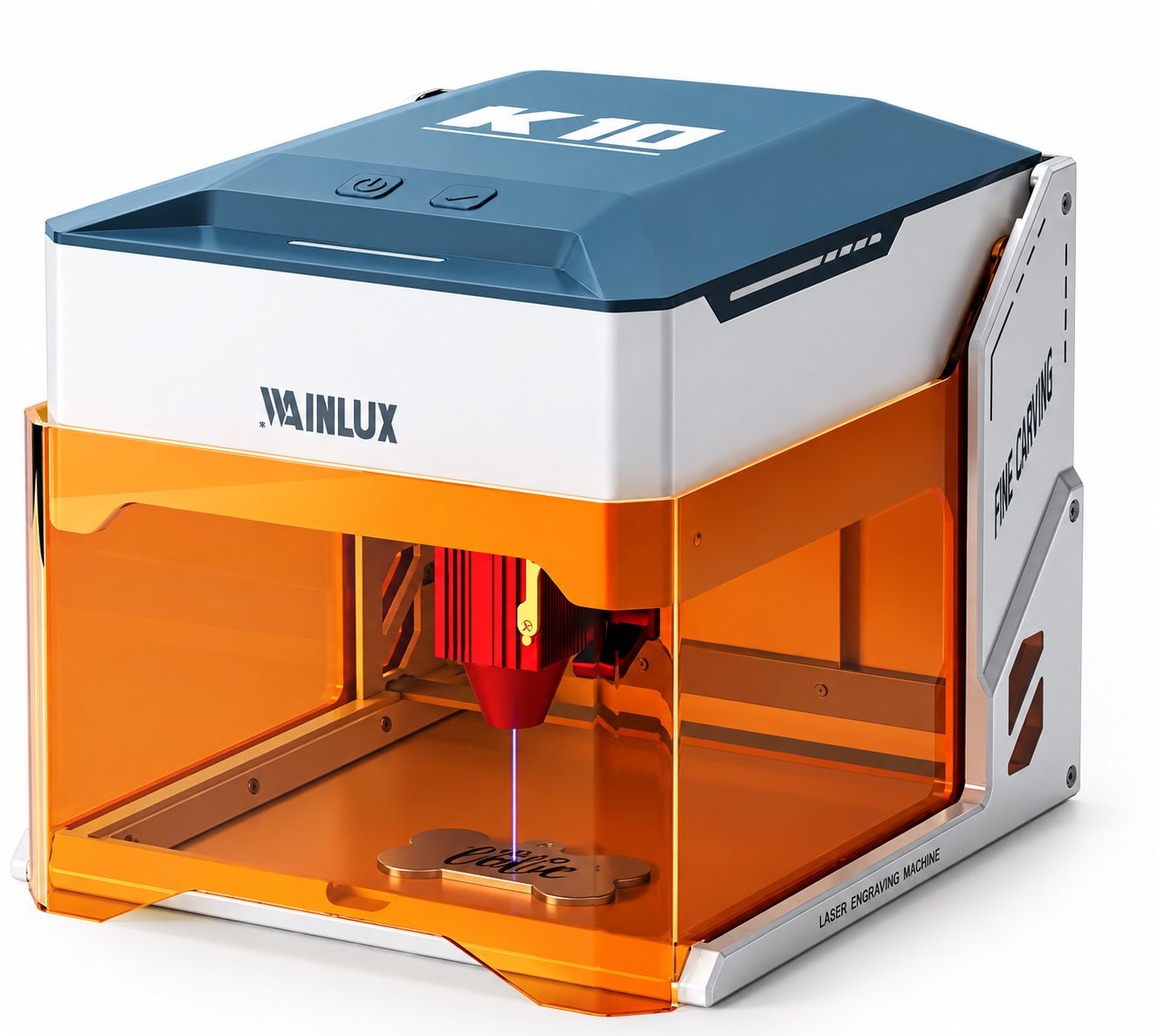
Wood engraving produces smoke, odor, and fine char. A fully enclosed machine with a tinted shield keeps the beam contained and the operator protected. The WAINLUX K10-5W is an example of a compact 5W blue diode machine (455nm) that is fully enclosed with a tinted shield; it cuts 3-5 mm plywood and can be run from WiFi, a PC, or offline. That combination suits buyers who need a small wood laser engraver in a home workshop, classroom, or small studio where dust and stray reflections are a concern.
Ventilation is separate from enclosure. Even an enclosed machine needs a path for smoke to exit. Buyers should plan for a window, a filter unit, or an exhaust duct before the machine arrives. This is often the deciding factor in apartments and shared workspaces.
For buyers who want more capability in a compact footprint, the WAINLUX F1-10W+1064nm combines a 455nm 10W head with a 1064nm head in a 10 x 10 cm working area. It handles wood, acrylic, and leather, and the 1064nm head marks bare metal. It offers WiFi and a built-in control screen, so it can run without a separate computer. The 10 x 10 cm area is a good match for small wood pieces, tags, and jewelry-scale work.
When the workpiece is larger, the WAINLUX X1-20W dual-laser covers a 30 x 30 cm area with 455nm and 1064nm heads. For very small items, the XN001-3W covers 9.8 x 8.8 cm. These examples show the trade-off: more area and power usually mean a larger machine and higher cost.
Fixtures and focus: how results stay repeatable
Laser engraving is sensitive to distance. If the wood surface is not at the focal point, the spot size grows and the cut weakens. Thin wood can warp, so a flat bed and a hold-down method matter more than the wattage on paper.
Common fixtures include:
- Honeycomb tables, which reduce flashback and allow smoke to pass through.
- Magnetic hold-downs or weights for thin plywood.
- Corner stops or a fixed origin mark for repeat positioning.
- Light tack or low-tack tape for delicate veneers.
Focus can be set with a fixed-height gauge, an adjustable Z bed, or an autofocus sensor, depending on the model. Whatever the method, buyers should confirm it is repeatable across the batch. A machine with a good enclosure but poor focus control will still produce inconsistent engraving depth.
Cleanup changes the result
Residue from wood engraving can discolor the surface or block the beam on subsequent passes. Cleaning between passes, and after the job, is part of the process. Common steps are:
- Brush away loose char with a soft brush.
- Wipe with a slightly damp cloth; avoid soaking the wood.
- Use low-pressure air to clear the lens area only when the machine is off and the manufacturer allows it.
- Remove debris from the bed before the next job to prevent flashback marks.
For cutting, residue on the underside may require sanding or a protective tape layer. Buyers who plan to sell finished pieces should account for this extra step in their pricing and workflow.
A buying sequence for a compact wood laser
The following order keeps the decision grounded in the actual job:
- List the largest and thickest wood workpiece you expect to run in the next year.
- Decide whether each job is surface engraving or through-cutting; note the required thickness for cuts.
- Match the thickness to a power class: 3W or 5W for engraving and light cutting, 10W for routine cutting of 3-5 mm plywood with fewer passes.
- Choose a working area that fits the largest workpiece with clamping room; 10 x 10 cm for small items, 30 x 30 cm for larger signs and nesting.
- Confirm enclosure, ventilation path, and focus method for your workspace.
- Plan fixtures and cleanup supplies before the machine arrives.
- Request a test cut on your own material from the supplier or run a sample at a local maker space.
This sequence is not a substitute for a sample test. Wood varies, and the same settings that work on one board may need adjustment on another. Buyers who can send a sample piece to the supplier, or who can test locally, will make a more confident choice.
Where WAINLUX fits in
WAINLUX has been manufacturing laser equipment since 1998, with more than 25 years of production experience. The company holds an ISO9001 company-level certificate and offers OEM/ODM services, exporting to more than 50 countries. For buyers comparing compact machines, two models are worth noting:
- WAINLUX K10-5W: a 455nm 5W blue diode machine, fully enclosed with a tinted shield, cuts 3-5 mm plywood, and runs from WiFi, a PC, or offline.
- WAINLUX F1-10W+1064nm: a 455nm 10W head plus a 1064nm head in a 10 x 10 cm working area, with WiFi and a built-in control screen; handles wood, acrylic, and leather, and marks bare metal.
Both are compact enough for a bench or small studio, and both target wood engraving and light cutting as primary tasks. The choice between them comes back to the two questions at the start: how thick is the cut, and how large is the workpiece.
Frequently asked questions
Can a 5W laser cut 3-5 mm plywood?
Yes, the WAINLUX K10-5W is specified to cut 3-5 mm plywood. Expect multiple passes and slower speeds than a 10W head. The result depends on the plywood's glue content and density.
Is a 10W head overkill for engraving only?
Not necessarily, but it is not required for surface engraving. A 5W head engraves fine detail well. The 10W head is chosen when cutting speed or thicker stock matters.
What working area do I need for small signs?
For signs up to about 10 cm on the long edge, a 10 x 10 cm area is sufficient. For larger signs, a 30 x 30 cm area such as the X1-20W dual-laser is more suitable. Measure your largest planned sign, including any frame or margin.
Do I need an enclosure?
An enclosure reduces beam exposure and contains debris. The K10-5W is fully enclosed with a tinted shield. Even with an enclosure, plan for smoke ventilation.
Can I run the machine without a computer?
Some models support offline operation or built-in controls. The K10-5W runs from WiFi, a PC, or offline. The F1-10W+1064nm has WiFi and a built-in control screen. Confirm the workflow that matches your setup before ordering.
Next step
If you have a wood engraving or light cutting requirement, share the largest workpiece size, the thickest cut, and the type of wood. WAINLUX can help match a compact model to the task. Contact us with your specifications to request a recommendation or a sample test discussion.