
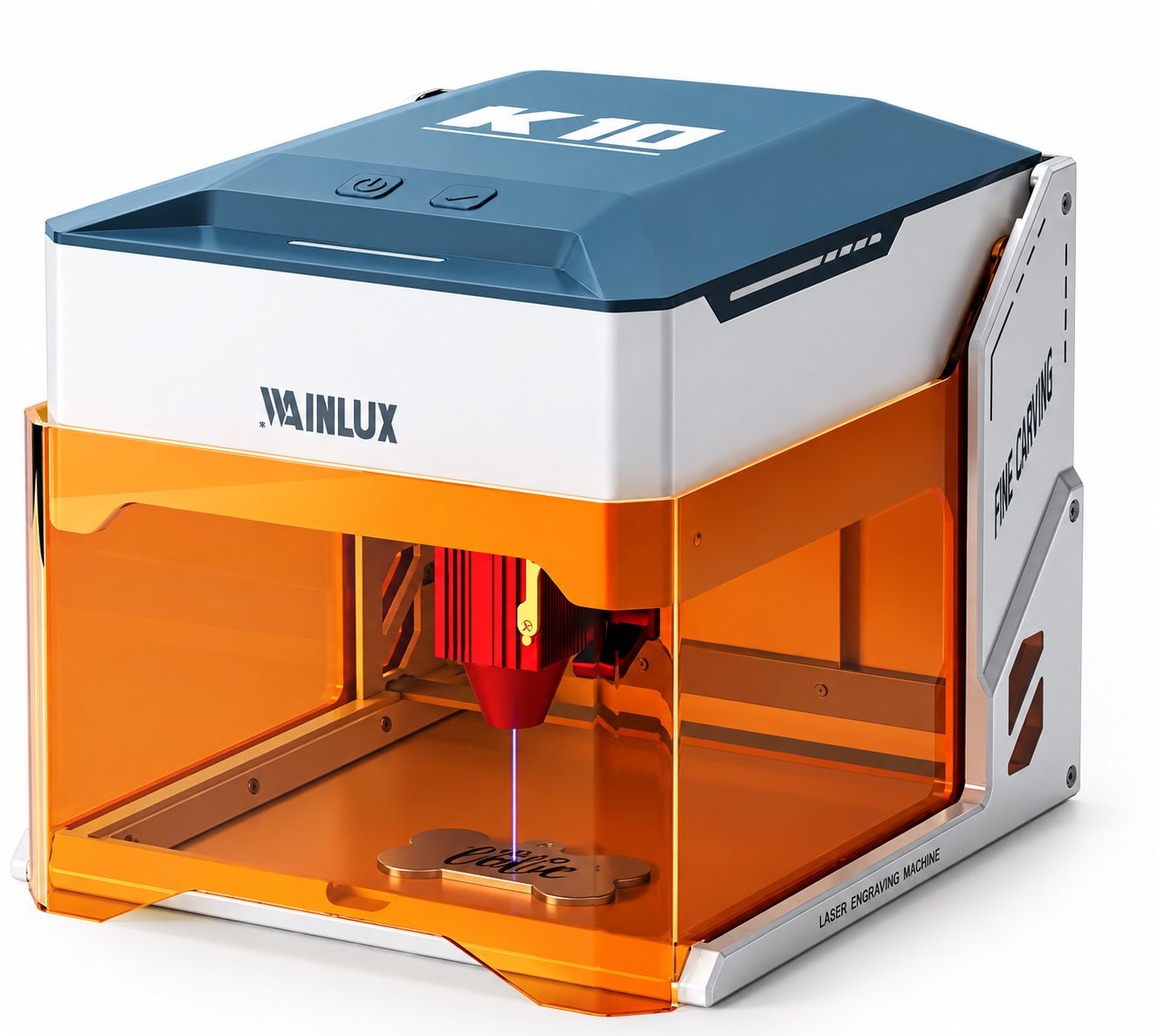
Choose a table top laser engraver by the size of your best-selling item, not by the biggest number on a spec sheet. This guide walks through WAINLUX bed-size tiers, what fits in a single pass, how repositioning affects alignment time, and how offline mode changes batch flow.
Buying Guide
Most buyers start by comparing wattage. That is the wrong first number. For a table top laser engraver used in production, the work area determines what you can process in one pass, how much time goes into repositioning, and whether a batch can run unattended. The laser power defines what you can cut or how fast you can mark it, but the bed size defines what actually fits on the machine.
This article walks through the WAINLUX work-area tiers, calculates what fits in a single pass at each level, explains the real time cost of repositioning, and shows how offline mode changes batch workflow. The goal is to help you match the machine to your top-selling item size, not to the largest sample in your catalog.
- Measure your top-selling item first; choose the machine whose work area covers that item with margin for a fixture.
- Every repositioning cycle adds alignment time and scrap risk. Fewer passes matter more than higher wattage for repeat orders.
- Offline mode lets a tabletop laser run repeated jobs without a connected PC, which is useful for batch production on one design.
- Published work areas range from 8×8 cm on the K8-1064nm to 40×40 cm on the L8-20W/40W.
Bed-size math: what fits in a single pass
Work-area dimensions are the maximum X and Y travel of the laser head. In practice, usable area is slightly smaller because you need a margin for clamping, fixtures, and the head's acceleration zone. A simple rule: subtract 5–10 mm from each side for the fixture, then compare the remaining rectangle to your item.
For flat items, the calculation is straightforward. A 10×10 cm bed handles a 90×90 mm coaster with a small border. A 15×20 cm bed handles a 140×190 mm nameplate or a phone case laid flat. A 30×30 cm bed handles a 290×290 mm cutting board or a small sign. A 40×40 cm bed handles a 390×390 mm panel or multiple small items nested in one pass.
For cylindrical items, the calculation changes. The K8-1064nm includes a rotary roller option, which lets the machine engrave around a curved surface. In that case, the work area limits the length of the cylinder you can hold, not the circumference. A 8×8 cm area supports a small tumbler or a short cylindrical part, provided the roller holds it securely.
Work-area tiers across the WAINLUX lineup
The following table summarizes the published work areas and relevant notes for each tier. Specifications marked as draft are provided for planning; confirm final specifications with the supplier before ordering.
| Model | Work area | Notes |
|---|---|---|
| K8-1064nm | 8×8 cm | Includes rotary roller option for cylindrical items. |
| K10-5W | 10×10 cm | Cuts 3–5 mm plywood. |
| X2-10W | 15×20 cm | Specs only; confirm final details. |
| X1-10W | 30×30 cm | One-touch autofocus; specs only. |
| L8-20W/40W | 40×40 cm | Specs only; confirm final details. |
Two published models are worth calling out for buyers with small, high-value items. The K8-1064nm has an 8×8 cm work area and a rotary roller option, which makes it suitable for small cylindrical parts. The K10-5W has a 10×10 cm work area and cuts 3–5 mm plywood, which fits small wood tags, coasters, and thin decorative pieces.
The larger tiers—X2-10W, X1-10W, and L8-20W/40W—are listed with draft specifications only. Their work areas are 15×20 cm, 30×30 cm, and 40×40 cm respectively. If your top-selling item is a large panel or you need to nest multiple parts, those are the tiers to discuss with the supplier, but verify the final specifications before committing.
The real cost of repositioning
Repositioning is the hidden cost of an undersized bed. When an item is larger than the work area, you must split the job into multiple passes, move the workpiece, and realign it. Each repositioning cycle introduces two costs: the time to realign, and the risk of a visible seam or misalignment.
Alignment time depends on the fixture and the operator. A simple mechanical stop can make repositioning repeatable, but it still adds a handling step per piece. For a batch of 50 items that need two passes each, that is 50 extra alignment operations. If each takes 30 seconds, you add roughly 25 minutes of non-laser time to the job, plus the risk of a seam.
A single-pass machine avoids that. The trade-off is floor space and cost: a larger bed usually means a larger frame. For buyers whose top-selling item is a 10×10 cm tag, a 10×10 cm bed is enough. For buyers whose top-selling item is a 300×300 mm sign, a 30×30 cm bed is the minimum practical size.
How offline mode changes batch flow
Offline mode lets the machine run repeated jobs without a connected PC. On a tabletop laser, this changes how batches are organized. Instead of loading a file from a computer for each piece, the operator can select a stored job and run it repeatedly.
For batch production, offline mode reduces the dependency on a single computer and simplifies the workstation. The operator can focus on loading and unloading parts while the machine cycles through the stored job. This is particularly useful when the same design is engraved on many identical items, such as a run of 100 wooden tags or 50 metal blanks.
Offline mode does not replace the need to prepare the job on a computer first. It changes the production step, not the design step. For buyers planning a dedicated engraving station, a machine with offline mode can run without a PC at the bench, which keeps the workflow clean.
Choosing by your top-selling item
Work through the following steps before selecting a bed size.
- Measure your top-selling item. Take the largest dimension in X and Y for flat items, or the length and diameter for cylindrical items. Add 10 mm to each dimension for fixture margin.
- Match to a work-area tier. If your item is 70×70 mm, an 8×8 cm bed is tight; a 10×10 cm bed is comfortable. If your item is 140×190 mm, a 15×20 cm bed is the minimum. If your item is 290×290 mm, a 30×30 cm bed is the minimum.
- Check the material and process. If you need to cut 3–5 mm plywood, the K10-5W is published to handle that. If you need to engrave cylindrical items, the K8-1064nm includes a rotary roller option.
- Decide on single-pass vs. multi-pass. If your item fits in one pass at the chosen tier, you avoid repositioning. If not, plan for alignment fixtures and accept the extra time.
- Confirm batch workflow. If you run repeated jobs on one design, offline mode reduces the need for a connected PC at the machine.
- Verify draft specifications. For X2-10W, X1-10W, and L8-20W/40W, treat the listed work areas as planning figures and confirm final specifications with the supplier before purchase.
FAQ
Yes, within the limits of its work area and power. For repeat jobs on small items, a tabletop machine with offline mode can run stored jobs without a connected PC, which supports batch flow. The main constraint is how many items fit in one pass and how much handling time each piece requires.
It depends on your top-selling item. If your item fits comfortably in 8×8 cm, the K8-1064nm is an option. If your item is closer to 10×10 cm, the K10-5W gives more margin. Do not choose a bed smaller than your item plus fixture allowance.
No. You still need to prepare the job file on a computer. Offline mode means the machine can run stored jobs without being connected to a PC during production.
It depends on the fixture and operator. A rough estimate is 20–40 seconds per alignment step. For a batch with many pieces, that adds up. A single-pass setup avoids this cost.
If you are comparing tabletop laser engravers by bed size, start with your order history. The machine that fits your top-selling item in one pass will usually outperform a larger machine that is only occasionally used to its full area. For buyers whose work includes cylindrical items, the K8-1064nm's rotary roller option is worth reviewing. For small flat items and 3–5 mm plywood cuts, the K10-5W is the published tier to check.
To discuss which work-area tier matches your order profile, contact our team with your item dimensions, material, and typical batch size. We can confirm available specifications and help you avoid buying a bed that is either too small for your main product or larger than your workflow needs.