A glass-specific laser engraving guide: what a laser does to glass, surface prep methods, 3W/5W/10W power matching, five glass applications that sell, and honest limits on diode laser glass cutting claims.
Glass looks like the perfect canvas for personalization: wine bottles, tumblers, awards, window film and candle jars all take a mark beautifully. But glass is also the material where the wrong laser choice wastes the most money. This guide focuses on one material only — glass — and walks through how glass behaves under a laser beam, which surface-prep methods make engraving possible, which power class fits which glass product, and where a laser glass cutter claim should make you skeptical. If you already read our general laser technology overview or our wood applications guide, this is the material-specific piece of the puzzle.
What a Laser Actually Does to Glass
Before comparing machines, it helps to know what happens physically. When engraving glass with laser energy, the beam does not cut through the pane: it heats the surface and creates micro-fractures that scatter light, producing the frosted, whitish mark you see on etched glassware. Push too hard and those micro-fractures turn into chips and craters; go too gentle and the mark washes out. This is why glass rewards low power and high speed, and why the same machine that cuts plywood will not automatically deliver clean marks on a bottle.
The Surface-Prep Step Most Buyers Miss
Bare, clear glass is transparent to most desktop diode lasers — the beam passes through instead of marking. Professional glass engravers solve this with surface preparation, not with a bigger laser:
Paint or mark the surface. A thin coat of black paint or a temporary marking layer absorbs the beam and transfers the pattern to the glass underneath. Wash the residue off when done.
Cover with color paper. Several of our machine specs list glass as engravable "when painted or covered with color paper" — this is the standard method for clear glass.
Use frosted or coated glass. Factory-coated bottles and frosted panels already absorb the beam, so laser marking on glass works directly without prep.
Whichever method you choose, the machine requirement is the same: a focused, stable beam at low-to-medium power. That is what defines a practical glass laser engraving machine — not raw wattage.
Which Power Class Fits Your Glass Products
Desktop diode machines handle surface marking on prepared glass. The question is which class matches your products and workspace:
3W portable: engraving glass on the go
At the entry level, the foldable WAINLUX XN001-3W is the kind of laser engraver for glass work that market-stall sellers and event personalization teams choose: it runs from a power bank, folds flat, and marks prepared glass surfaces like small jars and gift items. You trade work area and speed for portability.
5W desktop: the glass engraving workhorse
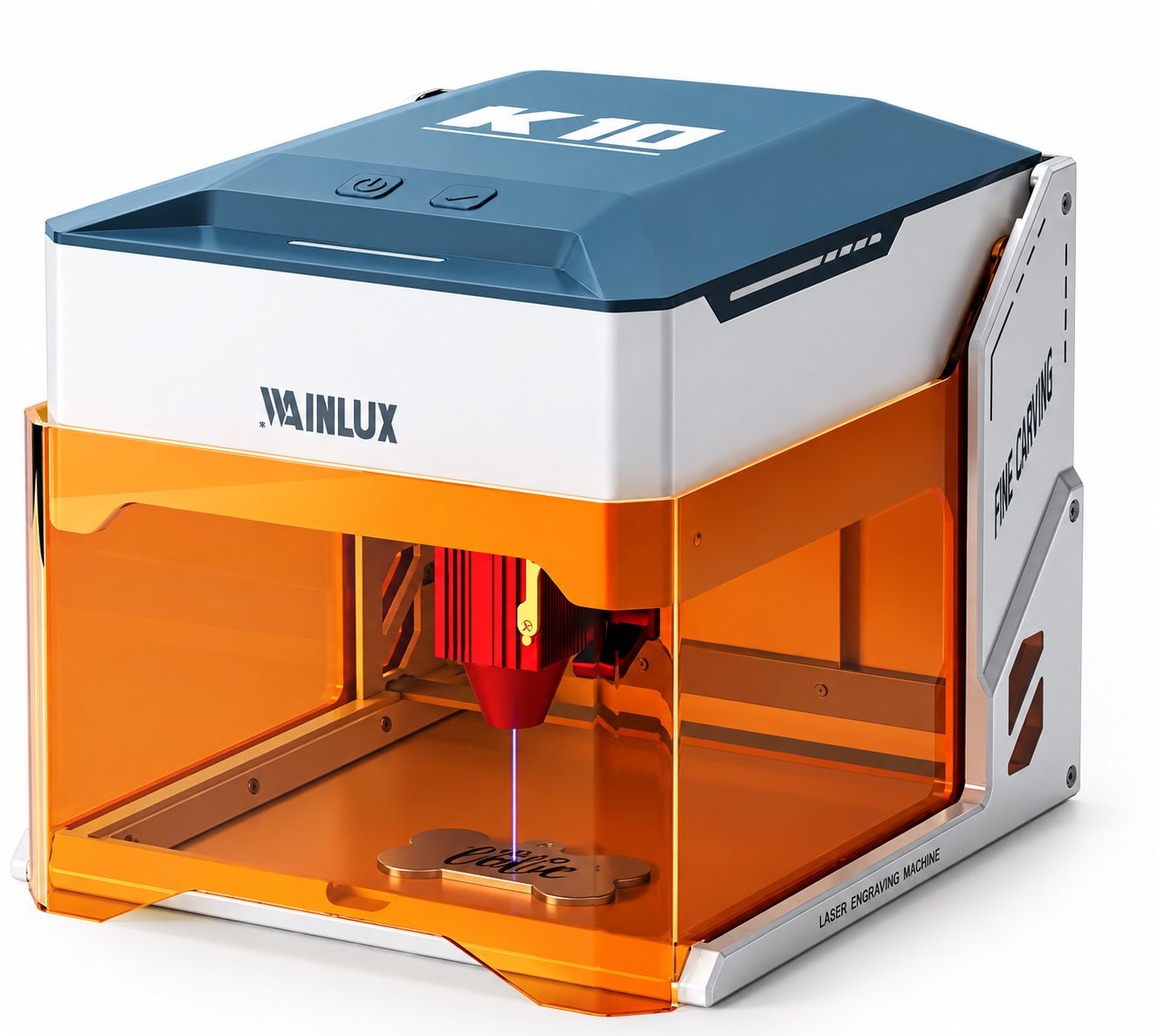
For a bench setup, the WAINLUX K10-5W is a compact engraving machine for glass products like tumblers, candle jars and award plates — the catalog positions it for exactly this mix of materials, including glass, at a budget-friendly price. With prepared surfaces, a 5W diode covers most retail glass personalization: consistent marks, manageable cycle times, and a footprint that fits a craft studio desk.
10W and above: use with caution on glass
Higher power is not automatically better for glass. More wattage means more heat input, and heat is what turns a frosted mark into a chipped edge. If you step up to a 10W class machine for its other material capabilities, run glass jobs at reduced power with faster speed and test on identical scrap first. Higher-power machines earn their place on wood and acrylic, not on more aggressive glass settings.
Five Glass Applications That Actually Sell
Mapping machines to real products makes the choice concrete:
Wine and spirit bottles. Laser-etched bottles are a staple for weddings, corporate gifts and distilleries. Marking works best on the label zone or pre-painted areas.
Drinkware and tumblers. Coated tumblers and glass mugs take marks directly. A compact glass engravers setup on a studio desk handles names, monograms and logos at gift-shop volume.
Awards and trophies. Glass awards use frosted or coated blanks; the mark is permanent and does not fade like printed plaques.
Candle jars and cosmetics. Small cylindrical glass with factory coatings engraves cleanly and consistently — ideal for brand personalization runs.
Window decals and architectural panels. Frosted glass film and coated panels allow larger-format engraving glass with laser work, though you should confirm the coating type before production.
Where the "Glass Cutter" Claim Breaks Down
One honest distinction: no desktop diode machine in this class is a true glass laser cutter. Diode lasers mark and etch glass surfaces; they do not cut panes. Products sold as laser glass cutting tools at this power level are typically surface-etching machines with marketing stretch. If your process genuinely needs glass cutting or cutting-through, that is a different equipment category, and our team can tell you honestly whether the job fits our machines before you order. Similarly, if your product line also includes metal tags or steel bottles, bare metal needs a 1064nm laser marking machine — glass and bare metal need different wavelengths, which our laser technology guide covers in depth.
Settings Discipline: Test Grids Beat Guesswork
Glass varies by thickness, temper and coating, so the only reliable workflow is a test grid on scrap from the same batch: start low power, high speed, and step power up until the frosted mark is uniform without chipping. Clean the lens before every session — residue on the lens is the most common cause of weak, inconsistent marks. And because fine glass dust can become airborne during engraving, run ventilation just as you would for wood.
Quick Answers
Can a diode laser engrave clear glass without prep? Usually not — the beam passes through. Paint, marking spray or color paper makes the surface absorb the beam first.
What is the best laser engraver for glass at entry level? For prepared-surface marking on jars, bottles and coated drinkware, a 3W–5W desktop diode machine such as the K10-5W covers most retail personalization work at a workable price.
Will a laser cut through a glass bottle? No. Desktop diode machines etch the surface; cutting glass requires industrial equipment. Be skeptical of cutter claims at this power class.
Do I need different settings for thick vs thin glass? Yes. Thicker glass absorbs more heat, so start with lower power and longer passes; thin glass chips faster, so favor higher speed.
Can one machine do glass and metal? Not the same way. Glass needs surface prep on a diode machine; bare metal requires a 1064nm source. If you work both materials, plan for the right wavelength per job.
Get a Machine Matched to Your Glass Products
Tell our team what glass products you make — bottles, drinkware, awards or jars — and your monthly volume. We will recommend the power class and surface-prep workflow that fits, with honest limits on what diode machines can and cannot do on glass. OEM and ODM customization is available for your branding and packaging.