
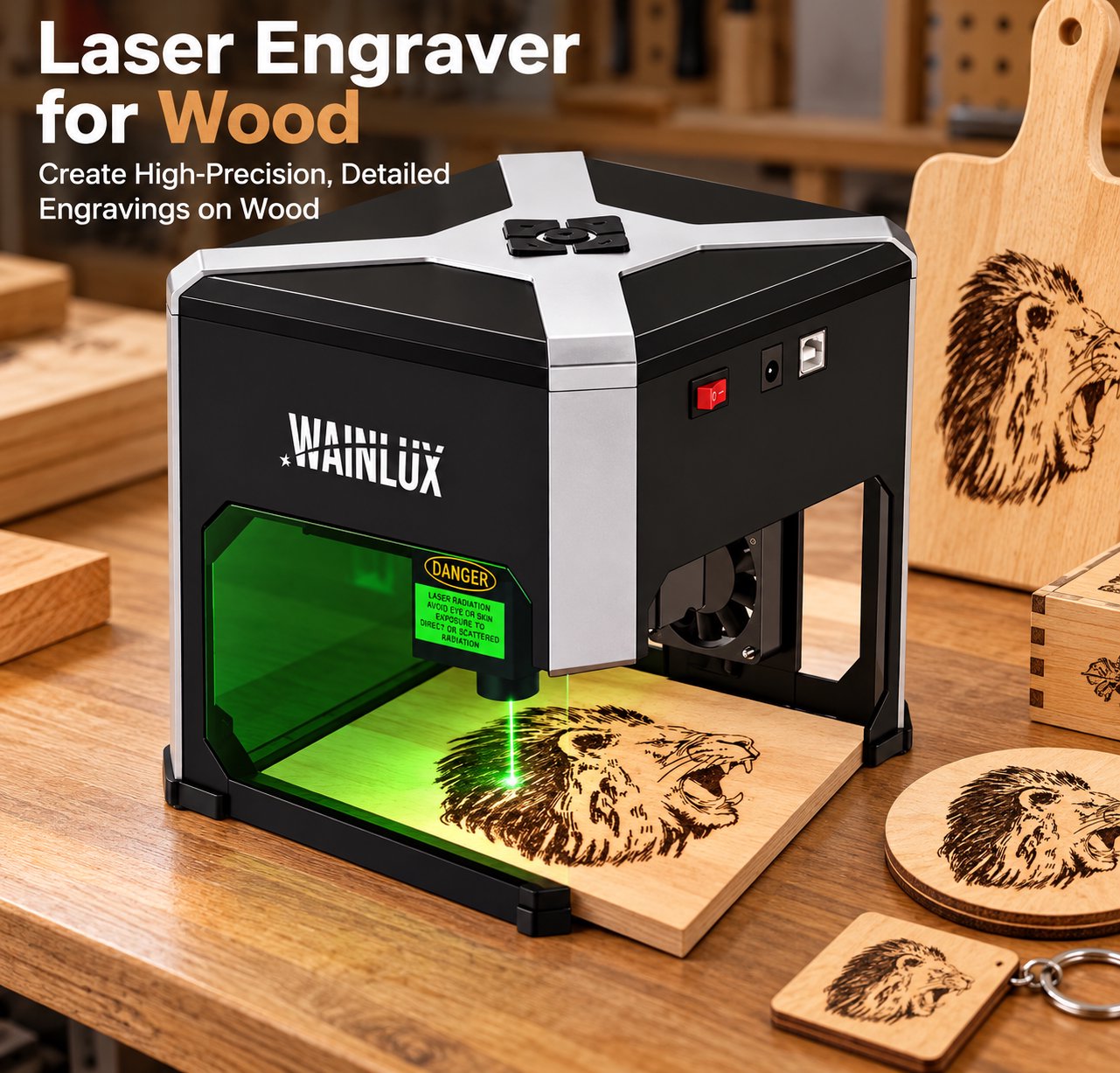
A material-focused buying guide for wood laser engraving: how to match 3W/5-10W/20-40W power tiers to real woodworking applications like signs, coasters, plywood kits and bamboo, with starting speed/power settings, a bare-metal exception, and safety and fume extraction essentials.
Wood is the material most first-time buyers start with: it is cheap, forgiving, and every finished piece looks handmade. But the gap between a disappointing burn mark and a clean, sellable product usually comes down to one thing — matching the machine's power to the wood and the job. This guide walks through how to pick a laser engraver for wood, which projects each power class handles well, and the starting settings that save you the most scrap material.
Step 1: Match Power to the Job, Not to the Marketing
The most common mistake is buying on wattage alone. A wood laser engraving machine at 3W and one at 40W can both be excellent purchases — for completely different workshops. Use the three power tiers below as a filter before comparing models.
3W–5W: engraving only, maximum portability
A 3W diode unit is an engraving machine for wood in the truest sense: it marks the surface beautifully — logos, photos, text, and line art — but it will not cut through board. If your work is personalization (gifts, phone stands, branding on finished products), this tier is the most affordable entry point. The foldable WAINLUX XN001-3W is a typical portable laser engraver in this class: it runs from a power bank, folds flat for storage, and engraves wood and bamboo on a desk or at a market stall.
At 5W, light cutting becomes possible as a slow secondary use. The compact WAINLUX K10-5W can cut through 3–5 mm plywood with multiple passes, which covers thin hobby projects — but treat it primarily as an engraver with occasional cutting ability, not a production cutter.
10W: the versatile middle ground
A 10W diode machine is where wood cutting starts to feel practical. Models like the WAINLUX K8-10W cut 5–8 mm plywood in a single setup, while the 5W version in the same family (K8-5W) stays at the 3–5 mm range. If you make one-off crafts and small batches, 10W is usually the sweet spot between price and capability.
20W–40W: commercial output
Once you sell signs, ornaments, or model kits in volume, you need a commercial laser engraver with a larger bed and real cutting depth. This is 20W–40W territory: the L8-20W handles 12 mm plywood, and the L8-40W — with a 40×40 cm work area — cuts up to 15 mm plywood and even 20 mm softwood like pine in several passes. At this level the machine is a laser wood cutting machine first and an engraver second.
Step 2: Four Wood Applications That Actually Sell
Knowing what each power class does is easier when you map it to real products:
Wooden signs and door plaques. Large-format engravers such as the X1-5W and X1-10W (30×30 cm bed) engrave-only lettering and artwork across a full sign face. For a woodworking laser cutter that must also cut the sign outline, step up to the L8 series instead.
Log-slice coasters. Round natural wood slices need only surface engraving — a 5W machine finishes one coaster in minutes, and uneven thickness is not a problem when you stay in engraving mode.
Plywood model kits. Architectural models, puzzles, and lamp parts demand clean through-cuts. This is where cutting power and air assist matter most; a 10W machine covers 3–6 mm kit material comfortably.
Bamboo products. Cutting boards, phone holders, and bamboo lids engrave with high contrast and minimal scorching. The same engraving machine settings that work on light hardwood generally transfer to bamboo with a small speed increase.
Step 3: Starting Speed and Power Settings
Every wood species, batch, and humidity level behaves differently, so always run a test grid on scrap first. These starting points are for typical 3–5 W diode engraving and 10 W-class cutting:
Job | Typical setting | Notes |
|---|---|---|
Photo / grayscale engraving | 100% power, 3000–5000 mm/min, 300+ dpi | Lower speed darkens the burn; test contrast on your species |
Line art and text engraving | 60–80% power, 3000–6000 mm/min | Single pass; use vector mode for crisp edges |
Cutting 3 mm plywood (10W) | 100% power, 300–600 mm/min, 1–2 passes | Air assist strongly recommended for clean edges |
Cutting 5–8 mm plywood (10W) | 100% power, 150–350 mm/min, 2–3 passes | Slow down rather than raising power beyond rated limits |
Deep cutting 12–20 mm (20W–40W class) | Multi-pass at moderate speed | Expect charring on lower faces; plan sanding time |
Two rules protect your results: never exceed the machine's rated power to compensate for wrong settings, and clean the lens before every session — residue is the most common cause of weak, fuzzy burns.
When the Job Is Not Wood: Know the Exception
Diode lasers engrave wood, bamboo, leather, and coated metals — but they cannot mark bare metal. If your product line also includes stainless steel bottles, tools, or tags, that is a different light source entirely: a 1064 nm fiber unit such as the WAINLUX K8-1064nm is built for permanent metal marking and complements, rather than replaces, your wood machine.
Safety and Fume Extraction Are Not Optional
Burning wood releases smoke, fine dust, and resin fumes that are unpleasant at best and hazardous at worst. Before your first job:
Ventilate. Route an exhaust fan and duct out a window; an enclosed room fills with smoke within minutes of cutting.
Never leave a running machine unattended. Wood cutting carries a real fire risk, especially in multi-pass jobs on thick board.
Use air assist. It blows debris and smoke away from the cut point, producing cleaner edges and reducing flare-ups.
Choose the right wood. Avoid treated, painted, or unknown-source boards — their coatings can release toxic fumes. Solid wood, natural plywood, and bamboo are the safe baseline.
Quick Answers
Can a 3W engraver cut wood? Only barely — thin veneer with many slow passes. Buy 3W for engraving, not cutting.
Which machine cuts 15 mm plywood? Look at the 40W class, such as the L8-40W with its 40×40 cm bed; smaller 10W machines top out around 5–8 mm.
Do I need different settings for hardwood and softwood? Yes — dense hardwoods like oak need slower speeds, while pine and bamboo burn faster and lighter. Always test on the same sheet you will ship.
Choosing a laser engraver for wood becomes straightforward once you fix the job first: engrave-only portability at 3W, versatile crafting at 10W, and production cutting at 20W–40W. If you are unsure which WAINLUX model fits your product line, contact our team with your material thickness and monthly volume, and we will recommend a configuration with honest cutting limits.