
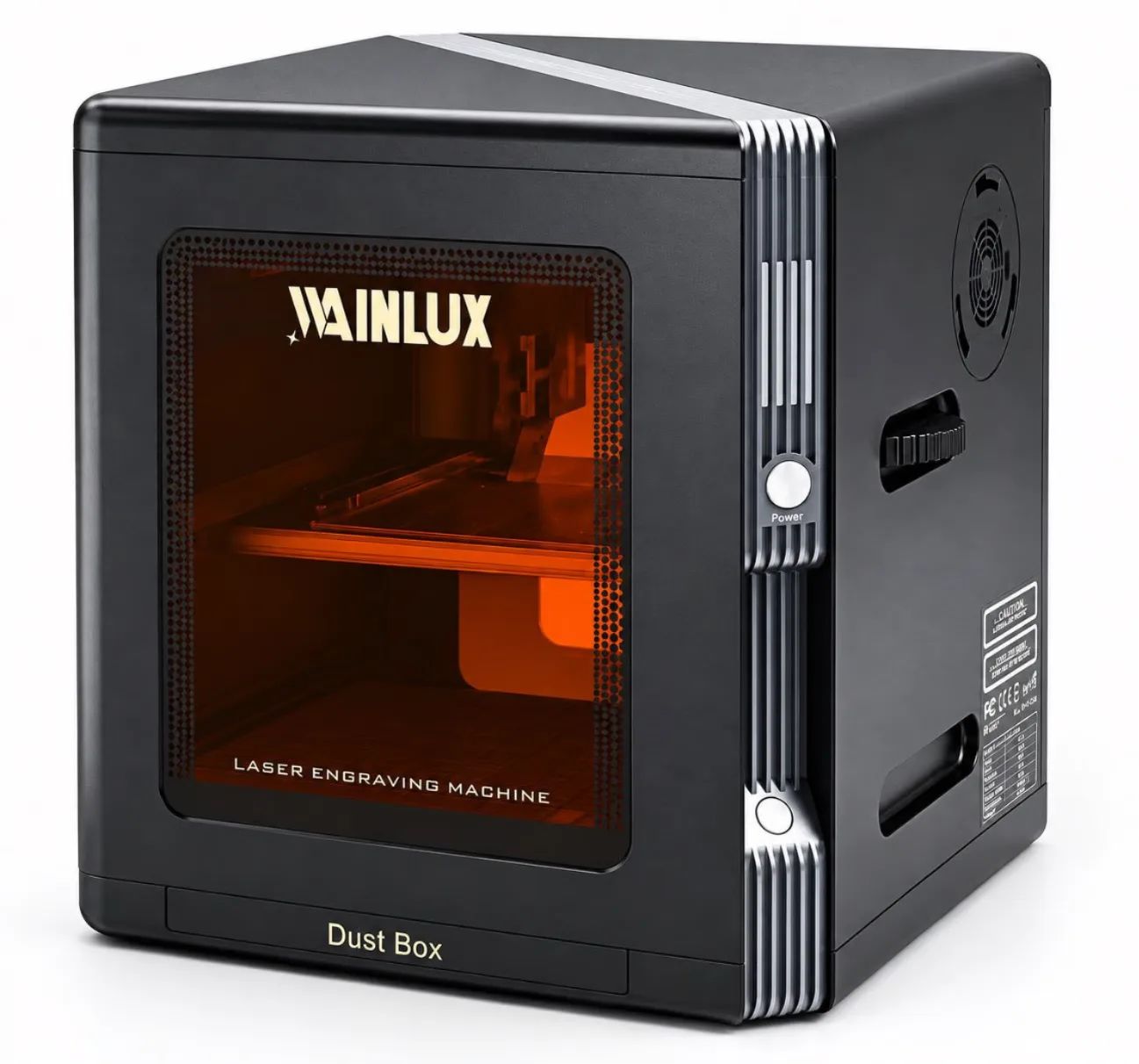
Most small-business laser purchases fail because the machine is chosen for imagined jobs, not the work already on the bench. This guide walks through a one-week job inventory, shows how that inventory maps to machine class, and explains when to bring a supplier into the decision for samples, a rotary option, or an air purifier.
Buyer's Guide
The most expensive mistake in buying a laser engraving machine for a small business isn't choosing the wrong brand. It's choosing the machine for jobs you haven't booked yet. This guide shows how to inventory the work you actually run, match a machine class to that inventory, and keep one upgrade path open instead of overbuying.
Key takeaways
- Buy for your current bench, not your imagined product line.
- One week of job records tells you more than a month of supplier brochures.
- Match machine class to materials, sizes, and monthly volume.
- Keep one upgrade path open — usually rotary, air purification, or a larger bed.
- Bring the supplier in only after your inventory data exists.
Start With a One-Week Job Inventory

Before comparing models, write down every engraving job your shop completed in the last seven days. Not the jobs you want. The jobs you ran. This exercise takes about an hour and usually changes the machine you should buy.
- List each job and the material engraved — wood, leather, acrylic, coated metal, or something else.
- Record the largest single piece by length and width, not the average.
- Count how many pieces you produced for that material across the week.
- Note which jobs needed cutting versus surface marking.
- Flag anything that was round or cylindrical, like tumblers, pens, or rings.
- Mark the jobs you turned away because your current setup couldn't handle them.
- Total the pieces by material and by size band.
For example, a shop making 120 leather keychains a month, 40 wooden coasters, and occasional 30 x 30 cm acrylic signs has a very different profile from a shop marking 600 coated metal tags in 10 x 10 cm. Those two businesses need different machines. The inventory makes that obvious; a brochure does not.
Reading the Inventory: Three Numbers That Decide the Class
Three numbers from the exercise drive the decision: the largest workpiece, the material mix, and the monthly piece count.
Largest workpiece
The bed must fit the biggest single piece you regularly run, not the biggest piece you might one day make. A machine that fits your current maximum with a little margin is usually the right call.
Material mix
Different materials respond to different wavelengths. A 455nm blue-light laser handles wood, plywood, leather, and acrylic well, and it marks coated and anodised metal by working through the coating. A 1064nm infrared laser marks bare metal directly, which a 455nm head cannot do on uncoated surfaces. If your week contains both wood and metal, check which kind of metal surface you actually receive — or choose a machine that carries both heads.
Monthly piece count
Low volume with mixed materials favors a small enclosed unit. High volume with one main material favors a larger bed and faster motion. The count also tells you whether an air purifier is a comfort item or a production necessity.
Matching Job Inventory to Machine Class
The table below maps common small-business inventories to the machine characteristics that fit them. It is a starting filter, not a final purchase order.
| Job inventory pattern | Typical machine fit | What to verify with the supplier |
|---|---|---|
| Small personalization items under 8 x 8 cm: bare metal tags, small metal blanks, compact gifts | 1064nm infrared unit, compact bed, fine spot | Blanking and depth consistency on your material |
| Wood, leather, acrylic under 30 x 30 cm; some cutting in thin plywood | Diode laser around 5W–20W; an enclosed frame if the shop runs indoors | Cut depth on 3–5 mm plywood and fume handling |
| Mixed work: wood plus bare or coated metal in the same week | Dual-head machine covering both 455nm and 1064nm | Head alignment and workflow switching |
| Round items: tumblers, pens, rings, cylindrical gifts | Any unit with a rotary roller option available | Roller diameter range and grip on your item |
| Indoor workshop, retail front, or shared studio space | Enclosed unit plus air purifier option | Filtration rating and filter replacement interval |
Compact Infrared for Small Marking Jobs
If your inventory is mostly small, valuable items, an infrared unit is often the cleanest first machine. The K8 1064nm laser engraving machine works on a 1064nm wavelength with an 8 x 8 cm working area, 0.01 mm precision, and an engraving depth range of 0.1–1 mm. Speed reaches up to 2000 mm/s. It connects over USB, WiFi, or Bluetooth and is controlled from Windows without professional software. At 4.4 kg, it sits on a bench rather than occupying a workshop corner. It ships with sample blanks, and a rotary roller and air purifier are available as options. For a shop marking bare metal tags or small blanks, those specifications line up directly with the work. For a shop cutting signs, they do not.
Enclosed Diode for Wood and Thin Cutting
If your week includes wood, leather, or acrylic pieces that need cutting as well as marking, a diode unit with an enclosure is the more practical base. The K10-5W laser engraving machine is a fully enclosed 455nm 5W unit that cuts 3–5 mm plywood. The enclosure matters when the machine runs indoors, next to a retail counter, or in a shared studio where fumes would otherwise be a daily problem.
When You Need Both Wavelengths
Mixed inventories are common in personalization businesses — a leather notebook cover in the morning, a coated metal tumbler in the afternoon. Two product families address that directly. The X1-20W dual-laser machine pairs 455nm and 1064nm heads on a 30 x 30 cm bed. The F1-10W+1064nm adds a built-in screen and a 10 x 10 cm working area with dual heads. Neither is automatically the right answer; the right answer depends on which material dominates your monthly pieces and how much workspace you can give the machine.
Leave One Upgrade Path Open
Overbuying usually looks like this: a first-time buyer purchases a large dual-head machine for jobs that haven't arrived, then discovers the machine needs more space, more power, and more fume management than the shop can support. Underbuying looks like this: a shop buys the smallest unit available and immediately hits its size limit on the first real order.
The middle path is to buy for the current inventory and leave exactly one path open. In practice, that means one of three things:
- Rotary path. Buy a unit where a rotary roller is available if round items are plausible in your next six months.
- Air path. Choose a unit with a compatible air purifier option if the machine will run indoors.
- Size path. Step up one bed size beyond your current maximum piece, then stop.
Keep one path open. Keeping all three open usually means buying more machine than the current work supports.
Tip: Write the upgrade path down before you order. "When monthly pieces pass X, or when round items become regular, we add the rotary roller." A written trigger prevents both panic buys and stalled growth.
When the Supplier Conversation Belongs in the Decision
Supplier conversations are useful after the inventory exists, not before. With the inventory in hand, you can ask specific questions and evaluate specific answers.
Sample blanks
Ask for sample blanks in the material you run most. A test piece on your actual material tells you more about depth consistency and edge quality than any specification sheet. Because the K8 ships with sample blanks, that first test is built into the purchase rather than added later.
Rotary option
If round items are on your list, confirm the rotary roller diameter range against the item you actually make. A roller that fits pens may not grip a wide tumbler. Ask for the range in writing before ordering the option.
Air purifier
If the machine runs indoors, ask how the air purifier is matched to the unit and what filter replacement involves. This is a running cost, not a one-time accessory, and it belongs in the purchase decision for any indoor installation.
Wainlux has manufactured laser equipment since 1998, holds an ISO9001 company-level certificate, and supports OEM/ODM work. For buyers who need a specific configuration, that background is worth mentioning in the first email — along with the inventory numbers, the material samples you need, and the one upgrade path you decided to keep open.
A Short Checklist Before You Pay
- The bed fits your largest regular piece with margin.
- The wavelength matches the material that dominates your monthly count.
- Cutting depth on your material has been confirmed with a sample.
- Fume handling is planned if the machine runs indoors.
- One upgrade path is chosen and written down.
Run the inventory, filter with the table, and confirm the two or three open questions with the supplier. That sequence keeps a small-business laser purchase tied to revenue you already have.
Still deciding? Send us your job inventory — materials, largest piece size, and monthly piece count — and we will recommend the machine class that fits it. Ask about sample blanks, the rotary roller option, and air purifier matching for your workspace.